INTRODUCTION
What if your next customer is just a few streets away but has no idea your business exists?
Every day, millions of people search for phrases like “restaurants near me,” “best salon in Bangalore,” or “digital marketing agency nearby.” More often than not, the businesses they choose are the ones that appear at the top of Google Maps.
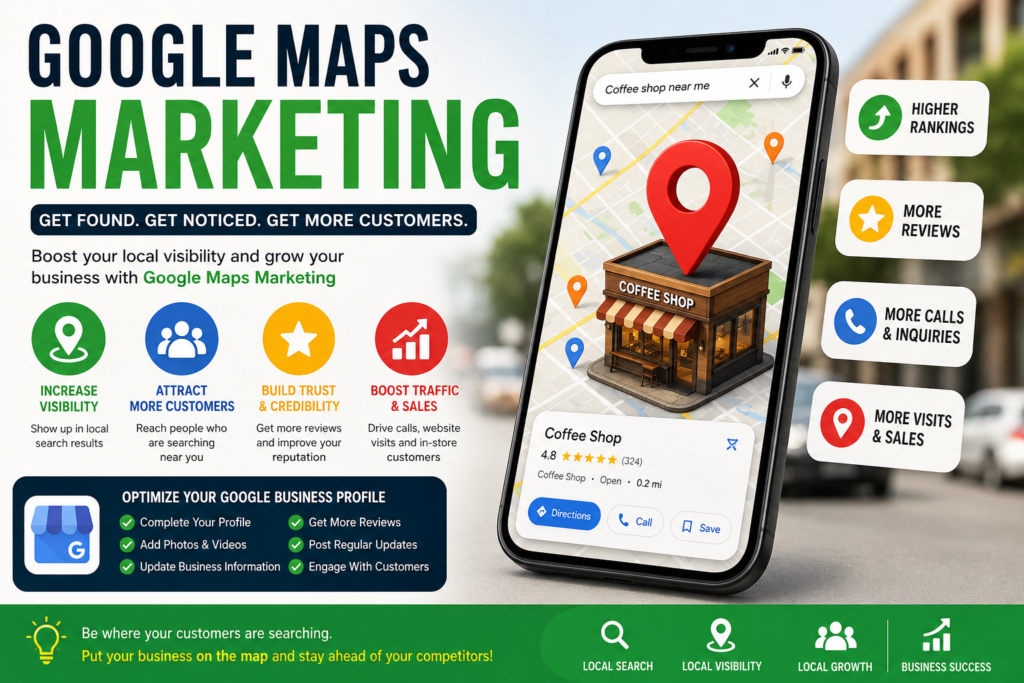
Welcome to the world of Google Maps Marketing—a powerful and often overlooked digital marketing strategy that helps businesses increase visibility, attract local customers, and drive more sales.
In 2026, local search is more competitive than ever. Whether you own a café, bakery, gym, jewelry store, or consulting business, ranking on Google Maps can be the difference between a thriving business and an empty storefront.
In this guide, you’ll learn everything you need to know about Google Maps Marketing, why it matters, and how to leverage it to grow your business.
What Is Google Maps Marketing?
Google Maps Marketing is the process of optimizing your business’s presence on Google Maps to improve visibility in local search results.
Whenever someone searches for:
- “Cake shop near me”
- “Best dentist in Bangalore”
- “Digital marketing classes nearby”
- “Coffee shop open now”
Google displays a map along with the top business listings. This section is commonly known as the “Local Pack” or “Map Pack.”
Businesses that appear in these top results receive:
- More website visits
- More phone calls
- More store visits
- More customer inquiries
- Higher credibility
Simply put, Google Maps Marketing ensures that customers can find, trust, and contact your business quickly.
Why Google Maps Marketing Matters in 2026
Consumer behavior has changed dramatically over the past decade.
Consider these facts:
- Most local searches result in a customer action within 24 hours.
- Mobile searches continue to dominate local discovery.
- Customers rely heavily on ratings and reviews before making purchasing decisions.
- Businesses with optimized Google profiles receive significantly more engagement.
Imagine you’re hungry and search for “best pizza near me.” Would you choose a restaurant with no reviews and incomplete information or one with hundreds of positive reviews, photos, and updated business hours?
The answer is obvious.
Google Maps is no longer just a navigation tool—it’s a customer acquisition platform.
Benefits of Google Maps Marketing
Increased Visibility
Appearing in the top three Google Maps results can dramatically improve your business exposure.
More Local Customers
Google Maps helps businesses connect with people actively searching for their products or services.
Builds Trust
Businesses with positive reviews and complete profiles are perceived as more trustworthy.
Higher Conversion Rates
Local search users often have high purchase intent. They’re not just browsing—they’re ready to take action.
Cost-Effective Marketing
Unlike paid advertisements, Google Maps Marketing can generate organic traffic without ongoing advertising expenses.
How Google Maps Rankings Work
Google considers three major factors when ranking businesses:
1. Relevance
How closely does your business match the user’s search?
For example:
- A bakery is more relevant for “birthday cakes near me.”
- A salon is more relevant for “hair spa services.”
2. Distance
How close is your business to the searcher’s location?
Google prioritizes businesses that are geographically convenient.
3. Prominence
Prominence refers to your business’s reputation online.
Factors include:
- Number of reviews
- Average rating
- Backlinks
- Website authority
- Media mentions
- Overall online presence
The stronger your digital footprint, the better your chances of ranking.
Creating a Google Business Profile
The first step in Google Maps Marketing is creating and optimizing your Google Business Profile.
Your profile should include:
- Business name
- Address
- Phone number
- Website
- Business category
- Operating hours
- Description
- Photos
- Products and services
Consistency is critical.
Ensure your business information is identical across:
- Website
- Social media
- Business directories
- Review platforms
Even small inconsistencies can negatively impact rankings.
Optimizing Your Google Business Profile
Choose the Right Category
Selecting the correct business category helps Google understand your business.
Examples:
- Bakery
- Jewelry Store
- Digital Marketing Agency
- Fitness Center
- Interior Designer
Write an SEO-Friendly Description
Your description should naturally include keywords.
Example:
“XYZ Bakery specializes in custom birthday cakes, wedding cakes, and premium desserts in Bangalore.”
Upload High-Quality Photos
Businesses with photos receive significantly more engagement.
Include:
- Exterior images
- Interior photos
- Team pictures
- Product images
- Customer experiences
Add Services
List all services you offer.
For example:
- Wedding cakes
- Customized cakes
- Social media marketing
- SEO consulting
- Home delivery
The more information you provide, the easier it is for Google to understand your business.
The Power of Customer Reviews
Reviews are one of the strongest ranking factors in Google Maps Marketing.
Encourage customers to leave reviews after:
- Purchases
- Appointments
- Events
- Service completion
Tips for Getting More Reviews
- Ask politely.
- Send follow-up messages.
- Add QR codes in-store.
- Share review links via WhatsApp.
- Respond to every review.
Example response:
“Thank you for your kind words! We’re delighted you enjoyed our service and look forward to welcoming you again.”
Responding to reviews demonstrates professionalism and improves customer trust.
Local SEO and Google Maps
Google Maps Marketing and Local SEO work together.
Key Local SEO strategies include:
Optimize Your Website
Include location-based keywords such as:
- Best bakery in Bangalore
- SEO agency in Karnataka
- Digital marketing trainer in Bangalore
Create Location Pages
Businesses serving multiple locations should create dedicated pages for each area.
Build Local Backlinks
Partner with:
- Local blogs
- News websites
- Business associations
- Community organizations
Use Schema Markup
Schema helps search engines better understand your business details.
Important schema types include:
- Local Business
- Reviews
- Products
- FAQs
Common Google Maps Marketing Mistakes
Avoid these common errors:
Incomplete Profiles
Missing information reduces trust and visibility.
Keyword Stuffing
Don’t overload your business name with keywords.
Bad example:
“ABC Bakery Best Birthday Cakes Bangalore”
Google may suspend listings that violate guidelines.
Ignoring Reviews
Failing to respond to reviews can negatively impact customer perception.
Outdated Information
Ensure your:
- Hours
- Contact details
- Services
- Photos
are always up to date.
Fake Reviews
Avoid purchasing reviews. Google actively detects fraudulent activity.
Advanced Google Maps Marketing Tips
Publish Weekly Posts
Google Business Profile allows businesses to publish updates.
Share:
- Offers
- New products
- Events
- Promotions
- Announcements
Use FAQs
Answer common questions such as:
- Do you offer home delivery?
- Are you open on weekends?
- What payment methods do you accept?
Track Performance
Use Google Business Profile Insights to monitor:
- Calls
- Website clicks
- Direction requests
- Search views
- Customer actions
These insights help identify what’s working and where improvements are needed.
The Future of Google Maps Marketing
Several trends are shaping local search:
AI Integration
Google increasingly uses AI to provide personalized recommendations.
Voice Search
Users are searching through voice commands like:
- “Find the best café near me.”
- “Show me top-rated salons nearby.”
Visual Search
Images and videos are becoming increasingly important for local rankings.
Hyperlocal Marketing
Businesses that target specific neighborhoods and communities will gain a competitive advantage.
Google Maps Marketing will continue to evolve, making optimization more important than ever.
CONLUSION
Google Maps Marketing is one of the most effective ways to attract local customers and grow your business in 2026.
By optimizing your Google Business Profile, collecting authentic reviews, implementing Local SEO strategies, and maintaining an active online presence, you can significantly improve your visibility and stay ahead of competitors.
Remember, customers aren’t just searching for businesses—they’re searching for solutions nearby.
If your business isn’t showing up on Google Maps, you’re missing opportunities every single day.
Start optimizing today, and put your business exactly where it belongs—on the map.